Solve this by either:
– Assign the destination drive/partition a driveletter
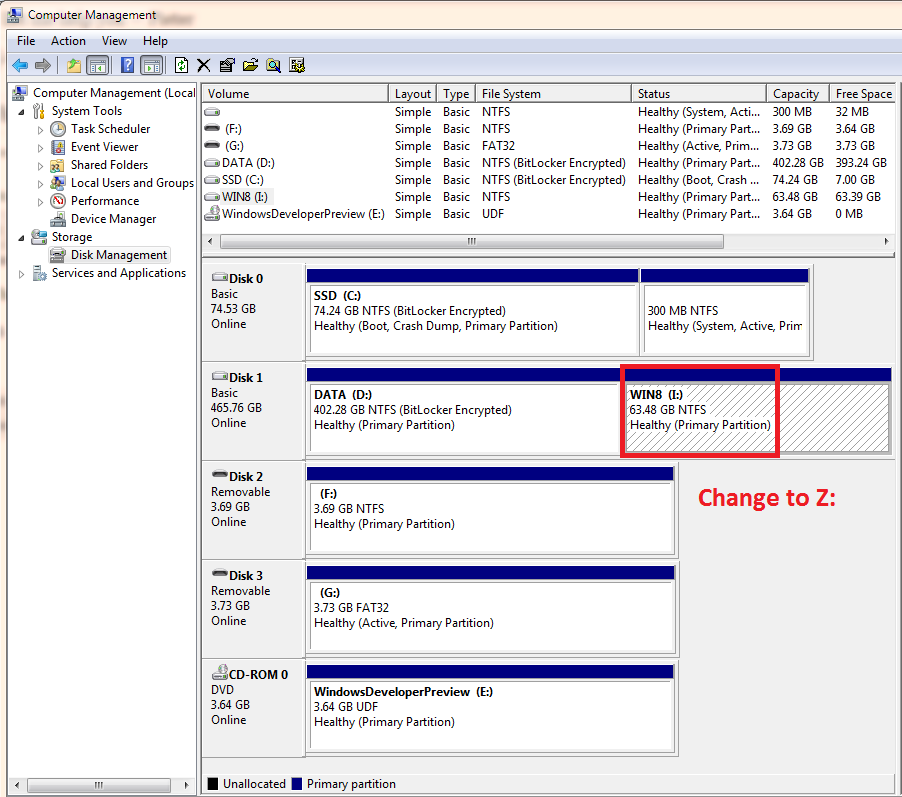
– Change the destination drive/partition driverletter to something else (this solved it for me)
E.g.
Solve this by either:
– Assign the destination drive/partition a driveletter
– Change the destination drive/partition driverletter to something else (this solved it for me)
E.g.
February 11th, 2012 at 3:47
I can’t believe it, but changing the destination’s drive letter worked.
kudoes to u…
December 20th, 2020 at 21:02
Hey guys, it still works on Windows 10. Glad they don’t fix their bugs too much!